

Private customer portal
Approved business customers sign in to order. Accounts can be set active or blocked at any time.
Products / Commerce
A private ordering portal for your business customers: your catalogue, every size, one order.
Bulk Ordering Portal replaces emailed spreadsheets with a private shop for your trade customers.
A custom B2B ordering system for suppliers who sell in volume to approved business customers. Each customer signs in to a private portal, orders products in every size and variant they need in one go, and adds delivery notes for the site or person receiving it. The admin side manages the catalogue, stock, customers and orders, with VAT, order status and exports built in. Our first build runs JM Group Ireland's workwear and safety footwear ordering.
Bulk orders arriving by email, phone and spreadsheet
Sizes and variants mixed up on large orders
No single view of what each customer has ordered
Stock levels checked by hand before confirming
Public shops that anyone can order from
How it fits together
Approved business customers sign in to order. Accounts can be set active or blocked at any time.
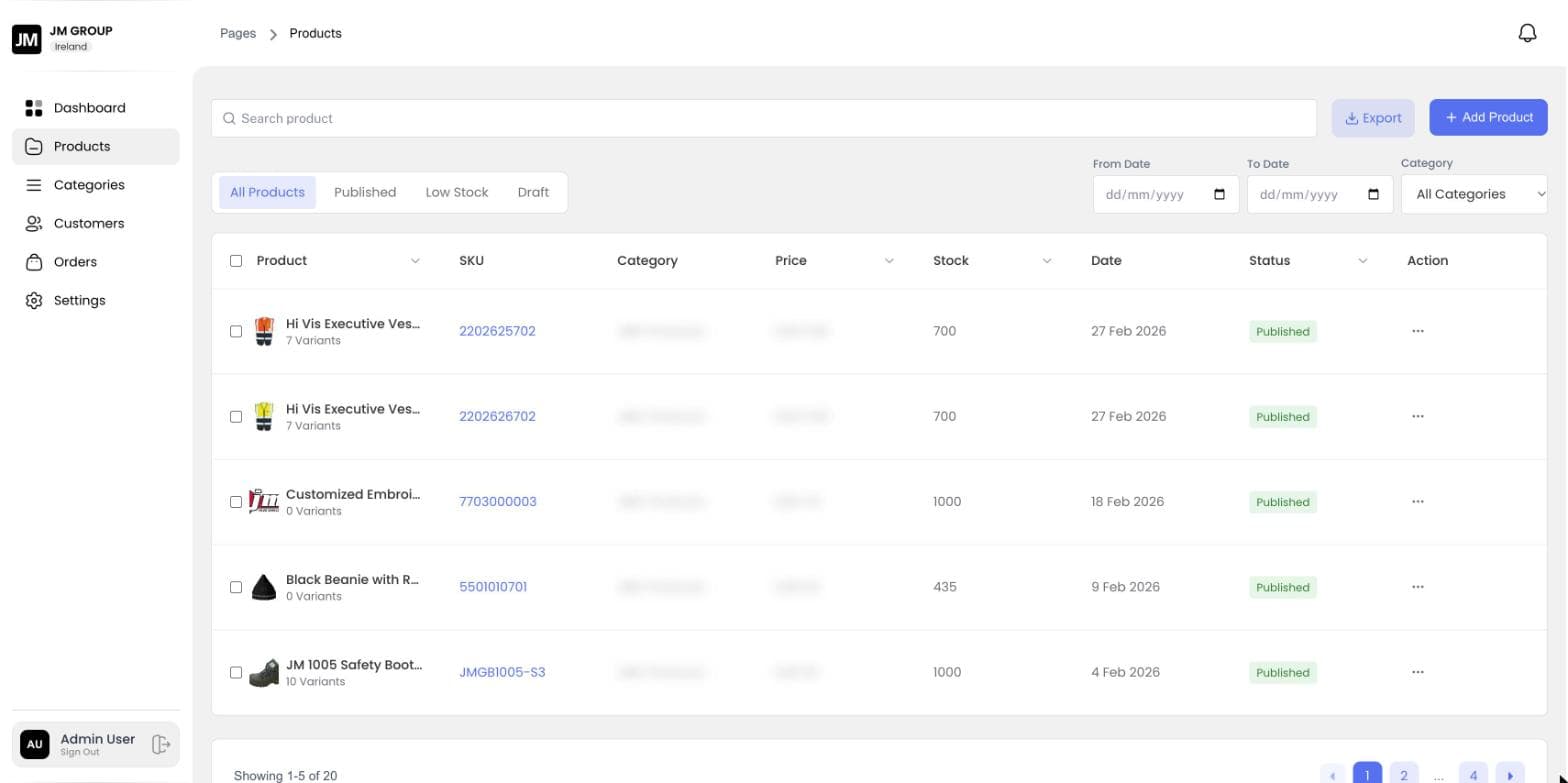
Products with SKUs, categories, images and size variants, published or kept as drafts.
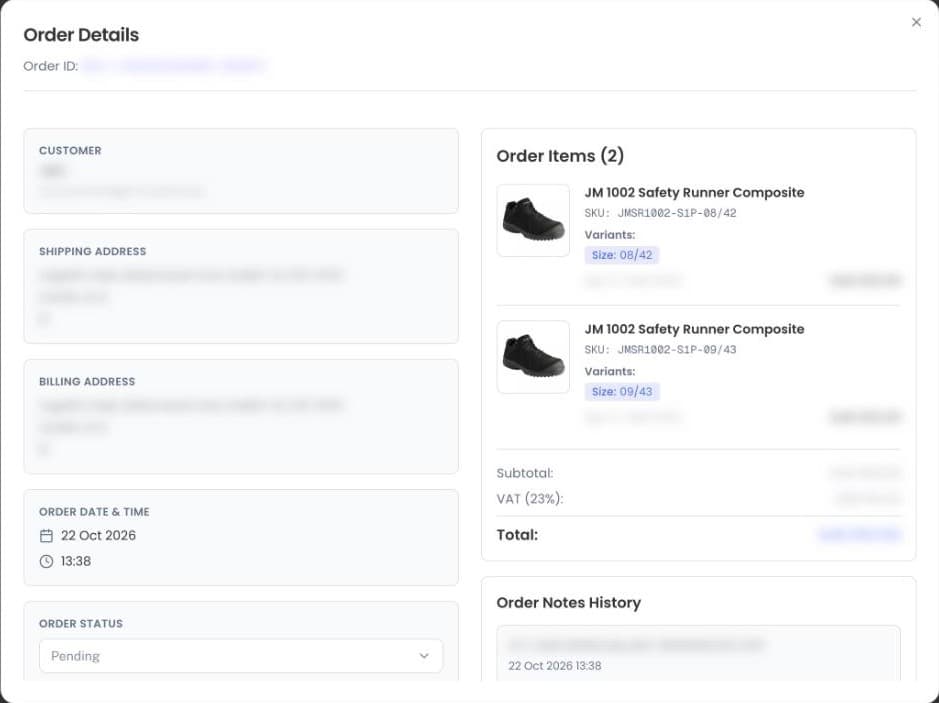
One order can carry many sizes of the same item, each with its own SKU and quantity.
Stock per product with a Low Stock view, so nothing is promised that isn't on the shelf.
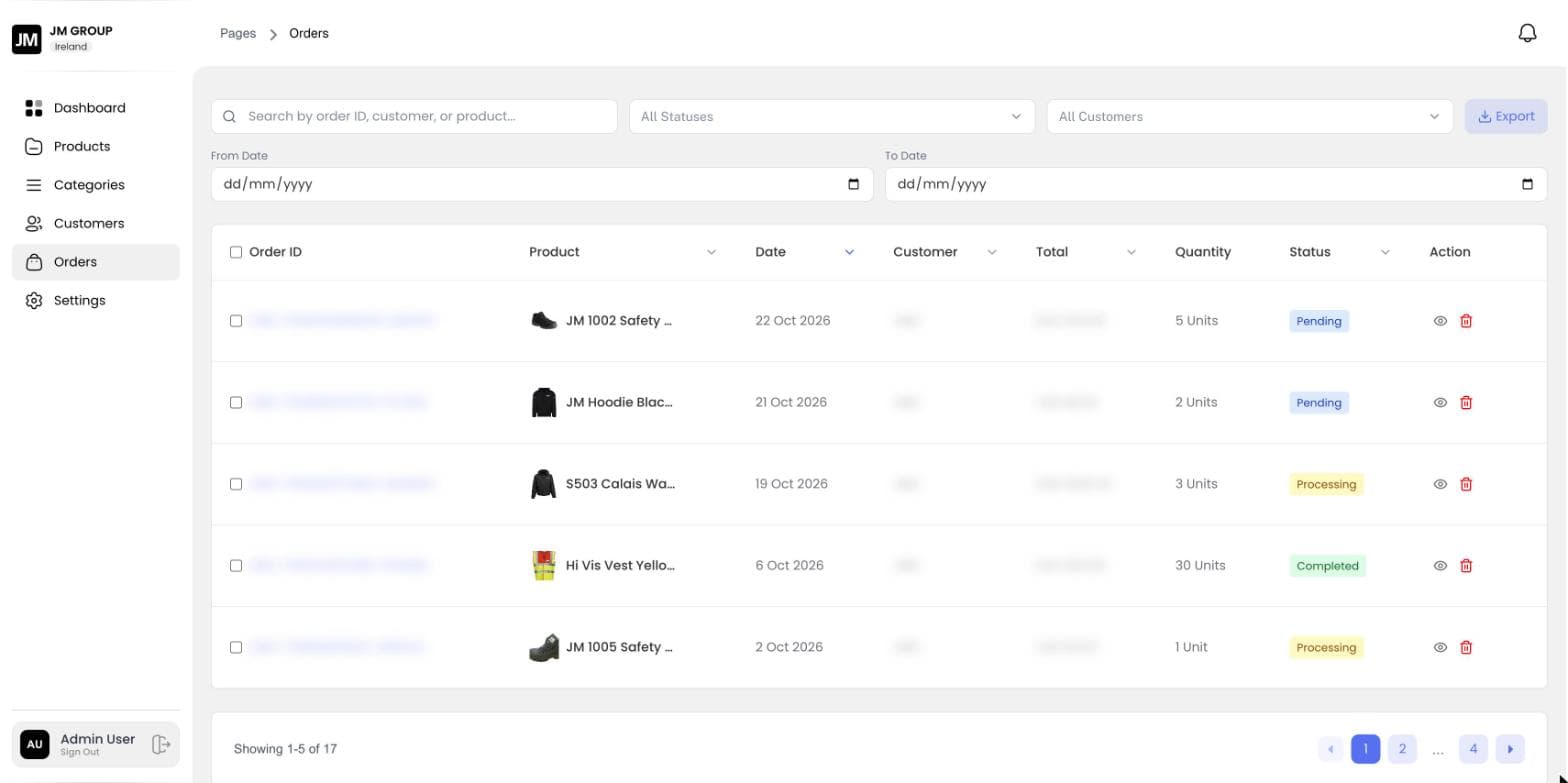
Orders move from Pending to Processing to Completed, with shipping and billing addresses, VAT and notes.
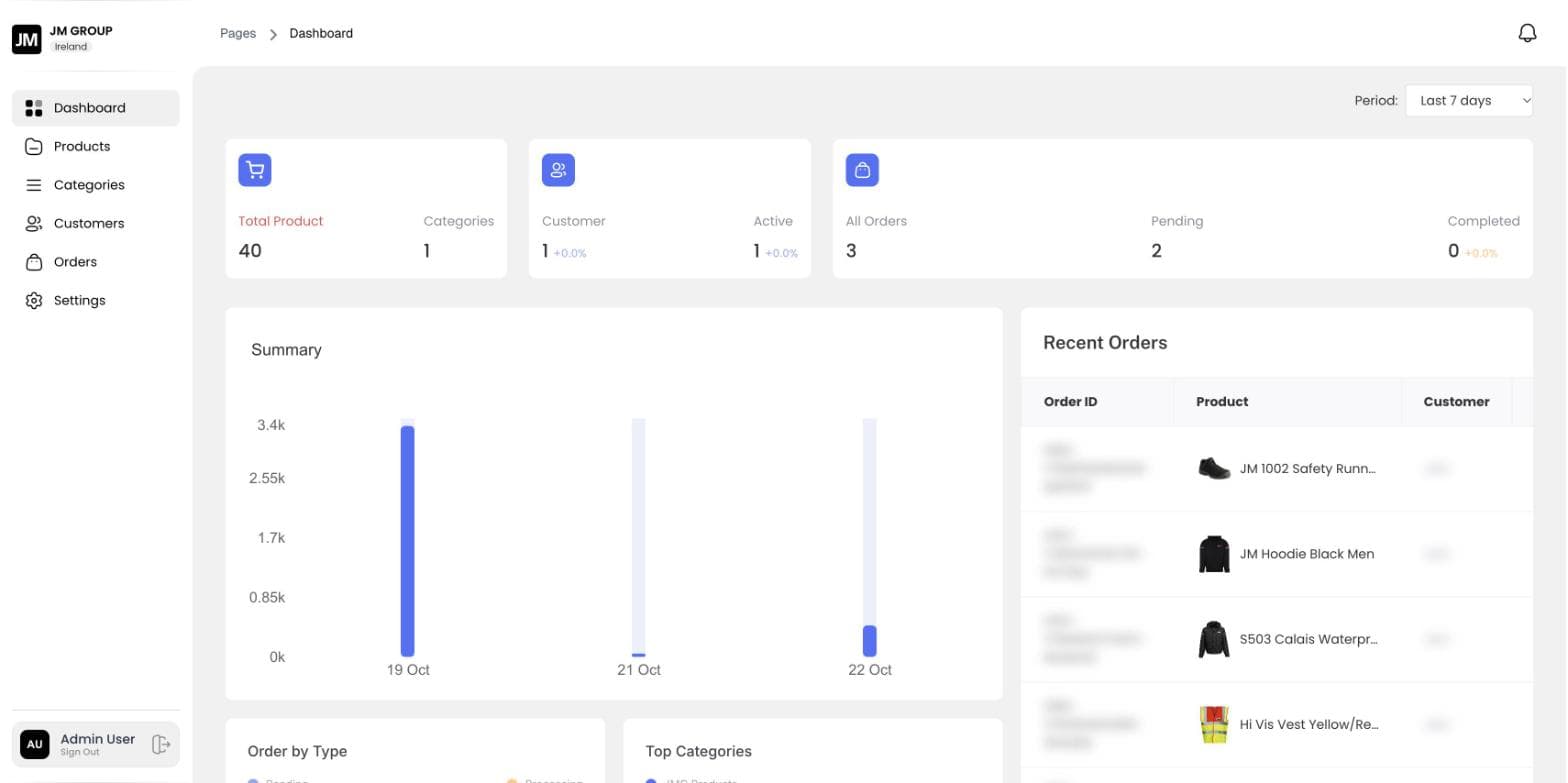
Products, customers and orders at a glance, sales by day, and exports of products and orders.
14features, ready on day one
What Bulk Ordering Portal does out of the box. Anything missing can be added for your business.
How we take Bulk Ordering Portal from your plans to go-live.
Demos are guided. Request a demo and we'll walk you through the customer and admin sides.
Only approved business customers. The portal is private, and accounts can be set active or blocked at any time.
Each size is a variant with its own SKU, so one order can hold many sizes of the same item.
Yes. VAT is calculated on every order and shown with the subtotal and total.
Yes. Orders and products can be filtered and exported for accounts or dispatch.
We'll walk you through it live, online or on-site, using a building like yours.
Related products