
Products / Operations

Wayfinder

Indoor navigation for complex buildings. No app, no sign-up.

Category
Operations
Runs on
Mobile browser (any phone), Web admin dashboard
Built for
Shopping malls, Hospitals & clinics, Corporate offices & campuses

Overview

  • Shopping malls
  • Hospitals & clinics
  • Corporate offices & campuses
  • Multi-floor venues

Wayfinder is Google Maps for inside a building.

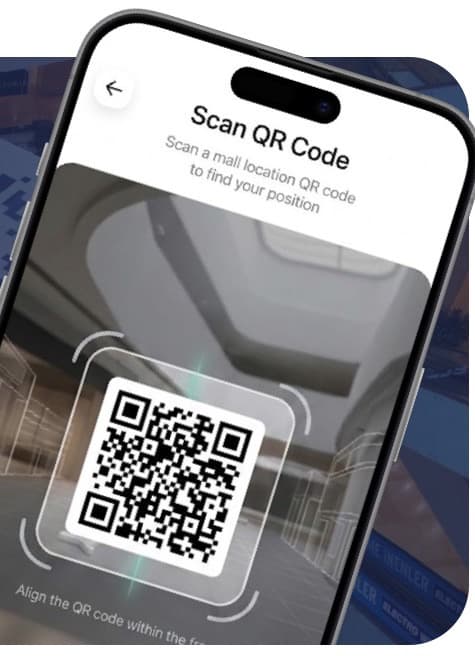
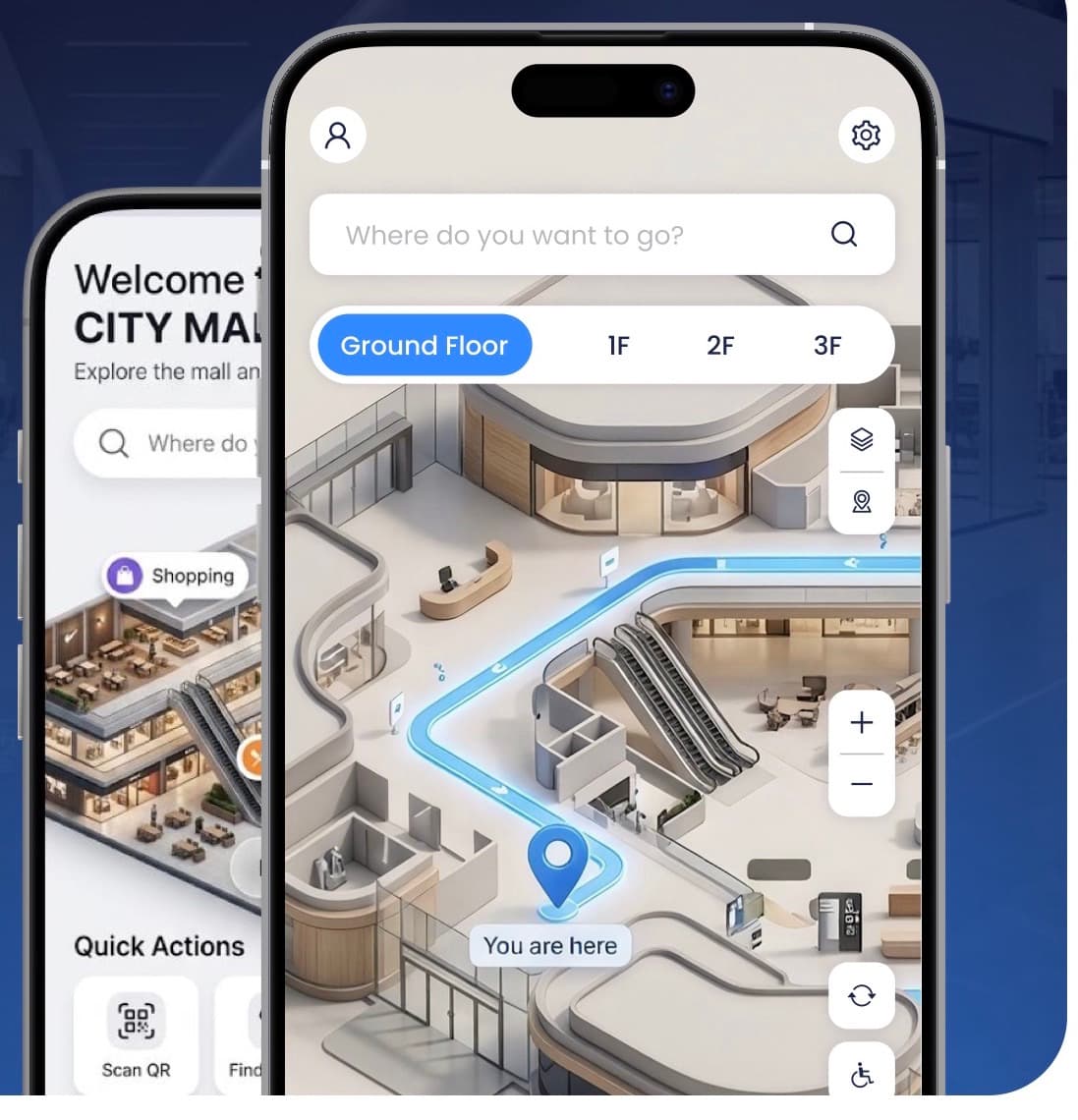
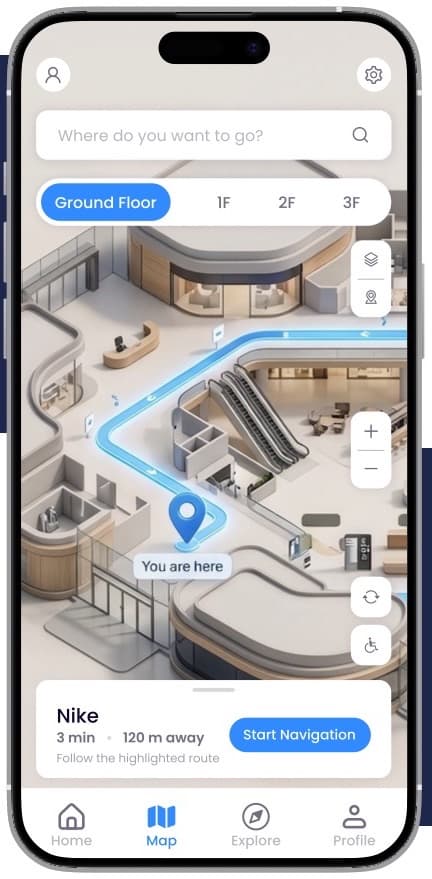
Visitors scan a QR code, search for a shop, clinic or office, and follow a highlighted route in their phone's browser, across floors, lifts and escalators. It runs entirely on the web with no app to install, no account to create and no external dependencies, and your team keeps every listing up to date from one dashboard.

Problems it solves

  • Visitors lost in malls, hospitals and multi-floor offices

  • Reception and facility staff answering the same directions all day

  • Static signs and directories that can't be updated

  • Navigation apps nobody wants to download

  • The resultHappier visitorsNo more confusion: guests find offices, shops and departments on their own.
  • The resultLess pressure on staffFewer routine direction requests at reception and the help desk.

How it fits together

Modules

01

Smart destination search

Search by name or browse categories: retail and food courts, offices and reception desks, medical departments and clinics, public amenities and service counters.

02

Multi-floor navigation

Routes to the nearest lift, stairs or escalator, prompts the visitor at each floor connection and switches the map to the target floor automatically.

03

Place discovery

Nearby places based on the visitor's position, recommended spots, and featured tenant listings for promotion and sponsorship.

04

Management dashboard

Edit shops, offices and departments, update descriptions, categories and images, with changes live instantly and no developer needed.

05

QR code generator

Download position-specific QR codes for main entrances, reception counters, lift lobbies, stairwell exits, food courts and central corridors.

06

Navigation engine

Browser-based engine with digitised floor maps, a calculated walkable route network and multi-floor transitions.

  1. 01ScanA QR code on the wall sets the visitor's exact starting point.
  2. 02SearchFind a shop, clinic, office or amenity by name or category.
  3. 03FollowA highlighted route leads the way, floor by floor.

Step by step

  1. EntryVisitor scans a QR codeIdentifies the starting location instantly
  2. LocateOpens the interactive mapShows a precise "You are here" position
  3. SelectSearches or picks a categoryFilters the directory by keyword or category
  4. RouteCalculates the best pathWorks out the walkable corridor route
  5. NavigateFollows the visual markersGives step-by-step guidance to the door

Features

12features, ready on day one

What Wayfinder does out of the box. Anything missing can be added for your business.

  1. 01100% web-based, no app
  2. 02No registration or personal data
  3. 03QR entry points
  4. 04Works on any modern smartphone
  5. 05Search and category directory
  6. 06Multi-floor routing via lifts, stairs, escalators
  7. 07Nearby places and recommendations
  8. 08Featured and sponsored listings
  9. 09Live content editing
  10. 10Position-specific QR codes
  11. 1110-step onboarding from your floor plans
  12. 12Full deployment and testing

Getting started

How we take Wayfinder from your plans to go-live.

  1. 01Floor plan collection
  2. 02Floor plan and layout analysis
  3. 03Digital map preparation
  4. 04Walkable path and corridor mapping
  5. 05Points of interest and destinations
  6. 06Multi-floor connections
  7. 07QR code positions
  8. 08Full navigation testing
  9. 09Client review and sign-off
  10. 10Deployment and go-live

What we need from you

  • Architectural plansVector drawings, CAD files or clear high-resolution PDF or image floor plans for every level.
  • Scale referenceAt least one confirmed real-world measurement per floor, for example a corridor that is 12 metres long.
  • Destination directoryTenant or department names, categories, descriptions, and logos or photos where available.

What you get

Web platform

4 included
  • Browser-based interactive navigation engine
  • Digitised building floor maps
  • Calculated walkable route network
  • Multi-floor transition engine

Admin controls

4 included
  • Central management dashboard
  • QR code generation tool
  • Destination directory editor
  • Full deployment and testing

Coming next

  1. PlannedCommercialPromotional offers, sponsored tenant ads and other ways to earn from the platform.
  2. PlannedAccessibilityWheelchair-accessible and lift-only routes.
  3. PlannedAnalyticsFoot-traffic analytics, popular searches and destination trends.

Questions

Do visitors need to install an app?

No. Wayfinder runs in any modern phone browser. Visitors scan a QR code and the map opens straight away.

Do visitors need to sign up?

No. There is no account, no form and no personal data needed to start navigating.

Does it work across several floors?

Yes. Routes go via the nearest lift, stairs or escalator, the visitor is prompted at each floor change, and the map switches to the right floor automatically.

What do you need from us to set it up?

Floor plans for every level (CAD, vector or clear PDF or images), one real-world measurement per floor for scale, and your directory of tenants or departments.

Can we update shops and departments ourselves?

Yes. The dashboard lets your team edit names, descriptions, categories and images, and changes go live immediately without a developer.

Can we see a demo?

Yes. Request a demo and we'll walk you through Wayfinder live, online or at your site.

See Wayfinder live.

We'll walk you through it live, online or on-site, using a building like yours.