

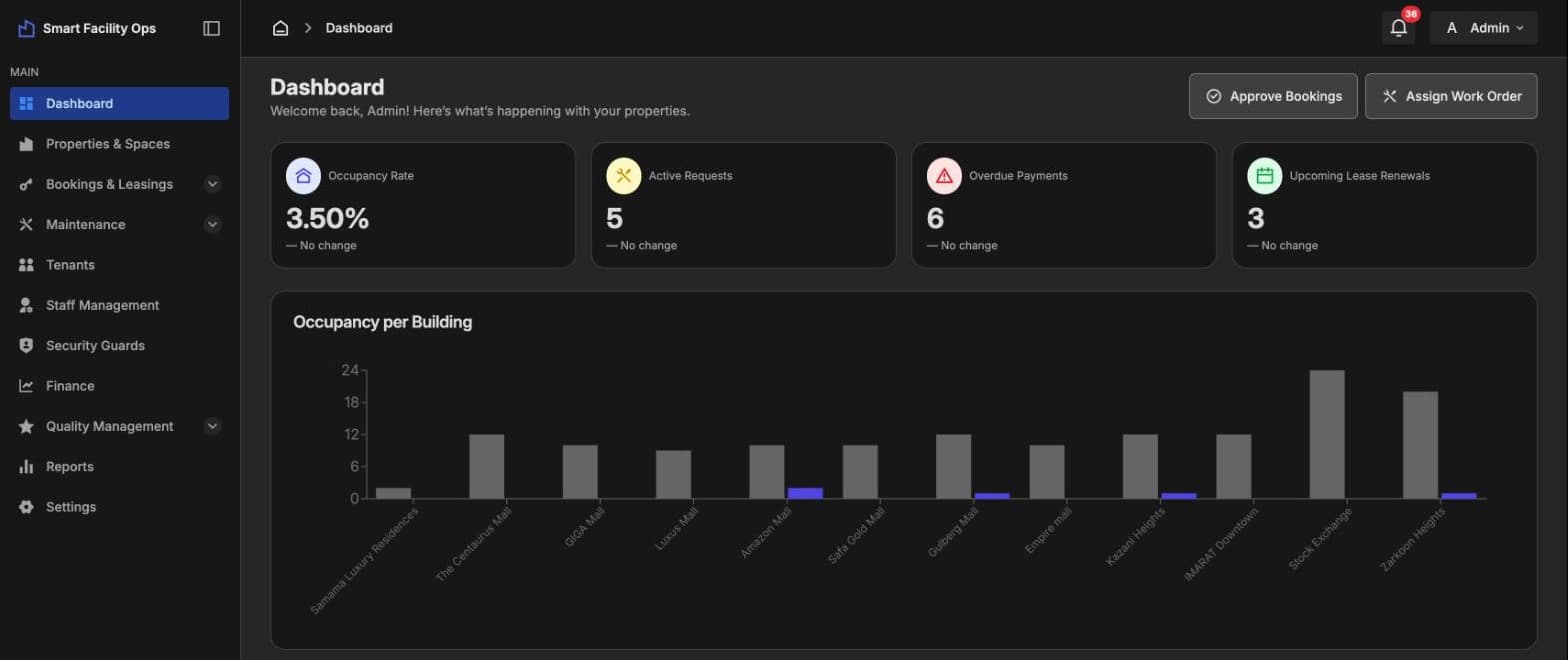
Dashboard
Occupancy, active requests, overdue payments and upcoming renewals, with occupancy per building and a maintenance cost breakdown.
Smart Facility runs every building from one dashboard.
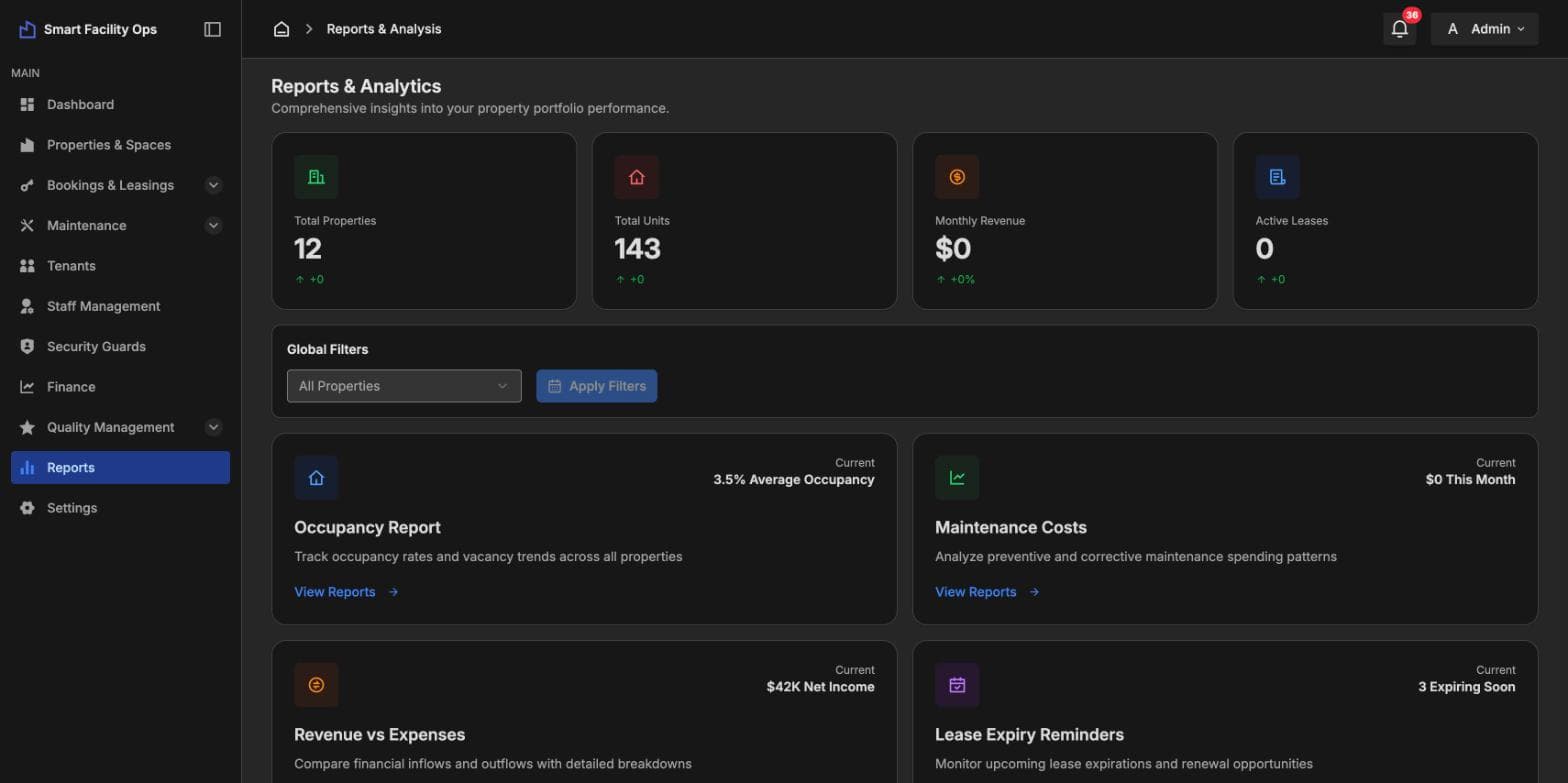
Facility management for property owners and managers. Track occupancy across every building, manage leases and renewals, take maintenance requests from tenants and assign them to staff, log visitors and gate scans, invoice rent and chase what's overdue. Tenants rate each job, and reports show occupancy, maintenance cost, revenue and expiring leases at a glance.
Maintenance requests lost in calls and chats
Leases and renewals tracked in spreadsheets
Overdue rent noticed too late
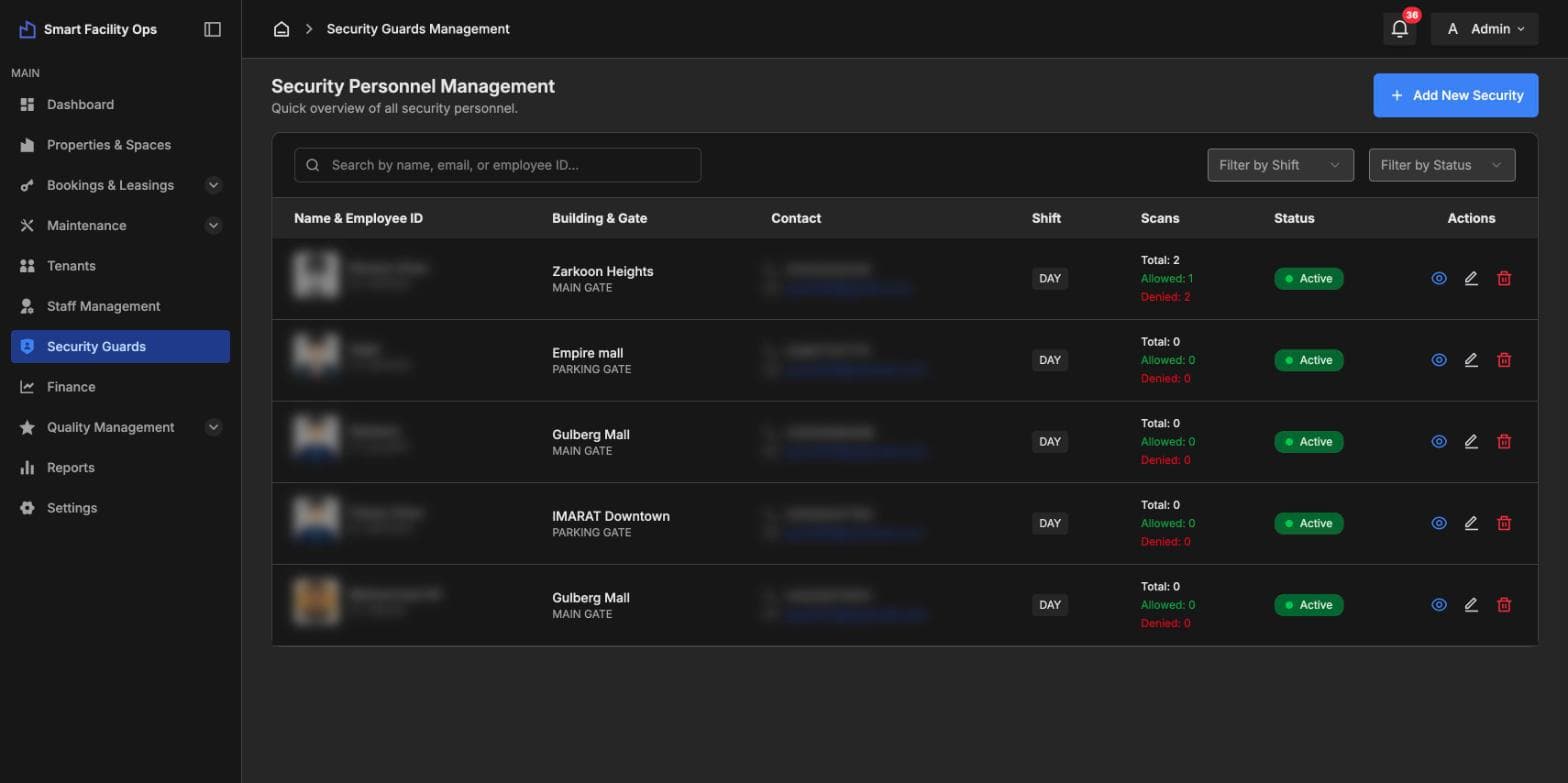
No record of who came through the gate
How it fits together
Occupancy, active requests, overdue payments and upcoming renewals, with occupancy per building and a maintenance cost breakdown.
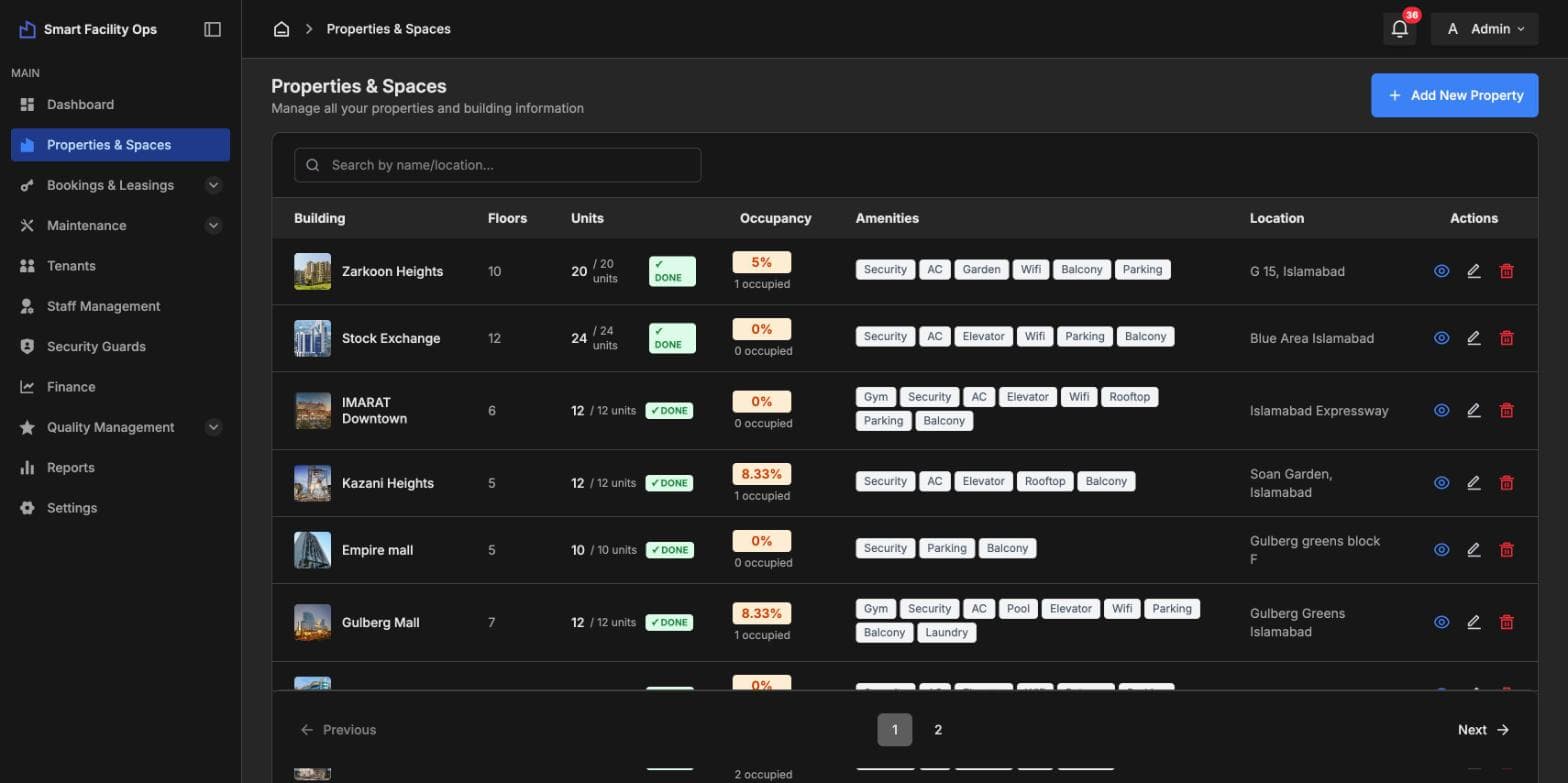
Buildings with floors, units, live occupancy, amenities and location, and units set up as each building is completed.
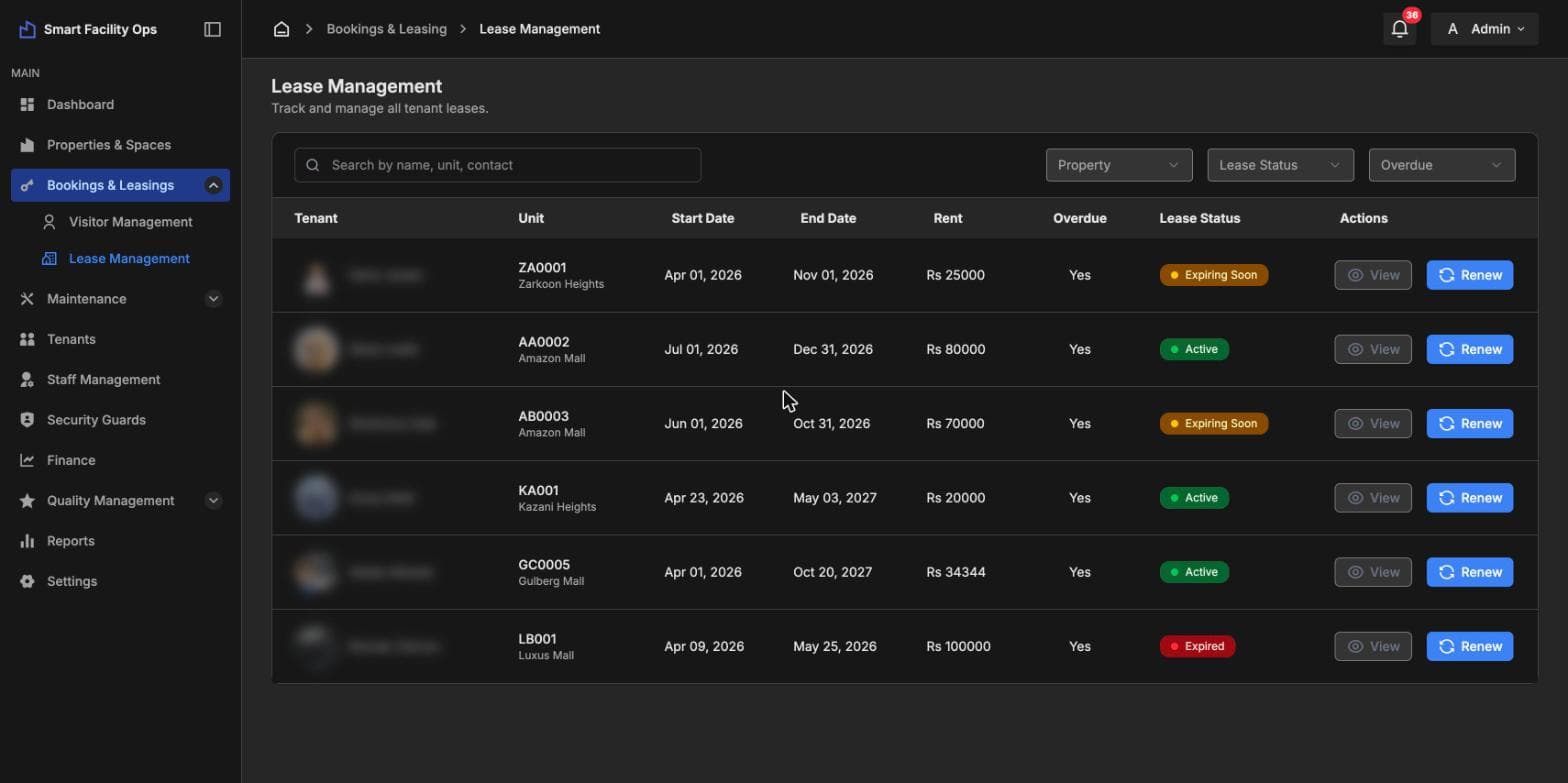
Every tenant's lease with start and end dates, rent, overdue status and one-click renewal.
Visitor passes linked to a unit, with purpose, valid-from and valid-until dates and status.
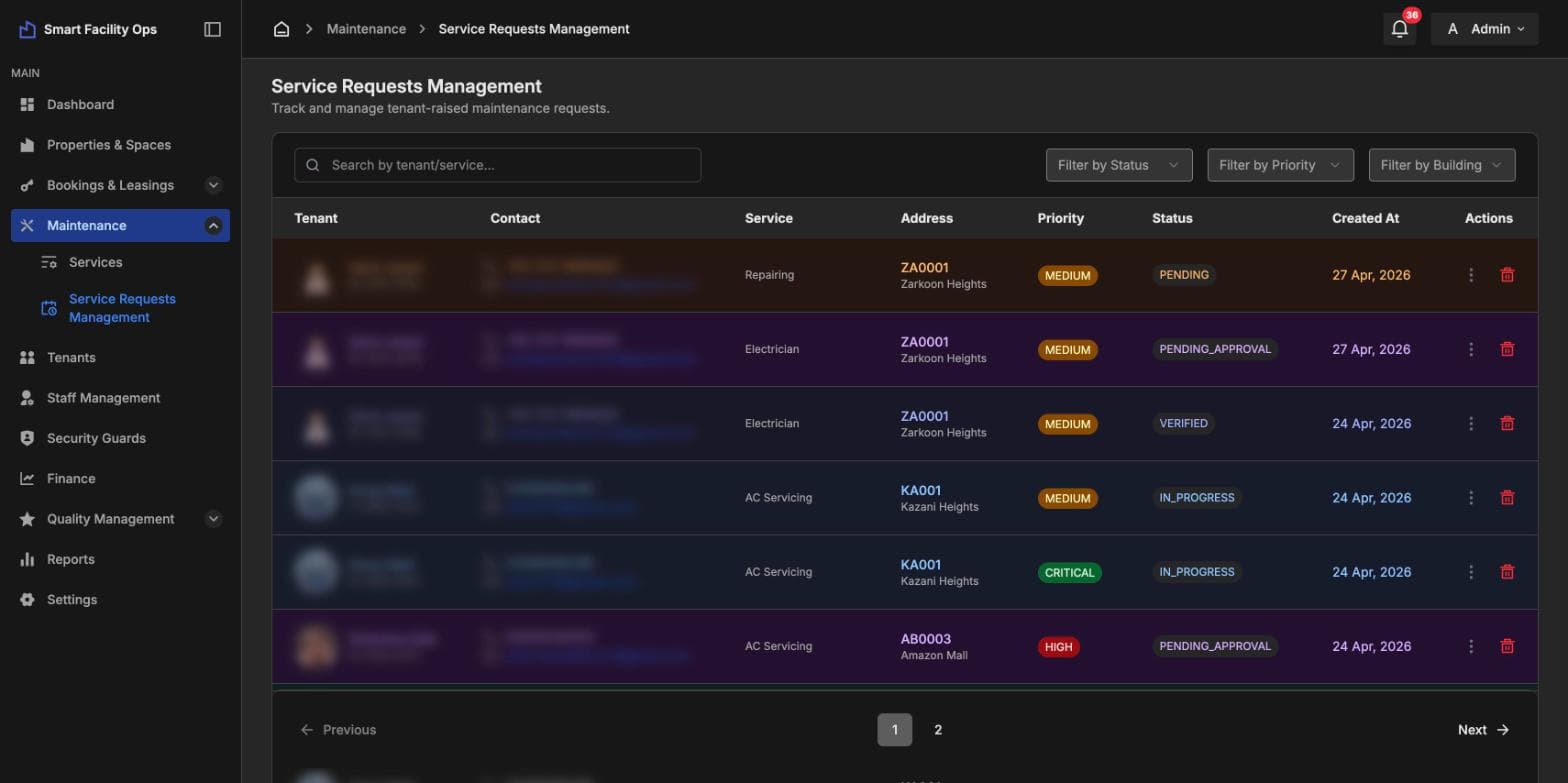
Service categories, tenant-raised requests with priority and status, and approval of vendor-submitted services.
Guards by building, gate and shift, with every gate scan counted as allowed or denied.
Rent and service invoices, overdue tracking, payment status and export.
Tenants and staff review each job; reports cover occupancy, maintenance cost, revenue against expenses and lease expiry.
12features, ready on day one
What Smart Facility does out of the box. Anything missing can be added for your business.
Yes. Leave your details on the Explore demo page, confirm your email with the code we send, and you'll get a login to our live demo.
Yes. Manage any number of buildings, floors and units, with occupancy tracked per building.
From the tenant app. Each request carries the unit, service and priority, and the tenant can follow its status and rate the job.
Yes. Visitor passes are tied to a unit with valid dates, and guards record every gate scan as allowed or denied.
Yes. Rent and service invoices are created per tenant, with overdue tracking and export.
Explore it yourself right now, or book a 30-minute guided walkthrough, online or on-site.
Related products