

Work / Case study
Nutrifactor ERP
One ERP for a nutraceutical manufacturer, from the first purchase request to the final ledger
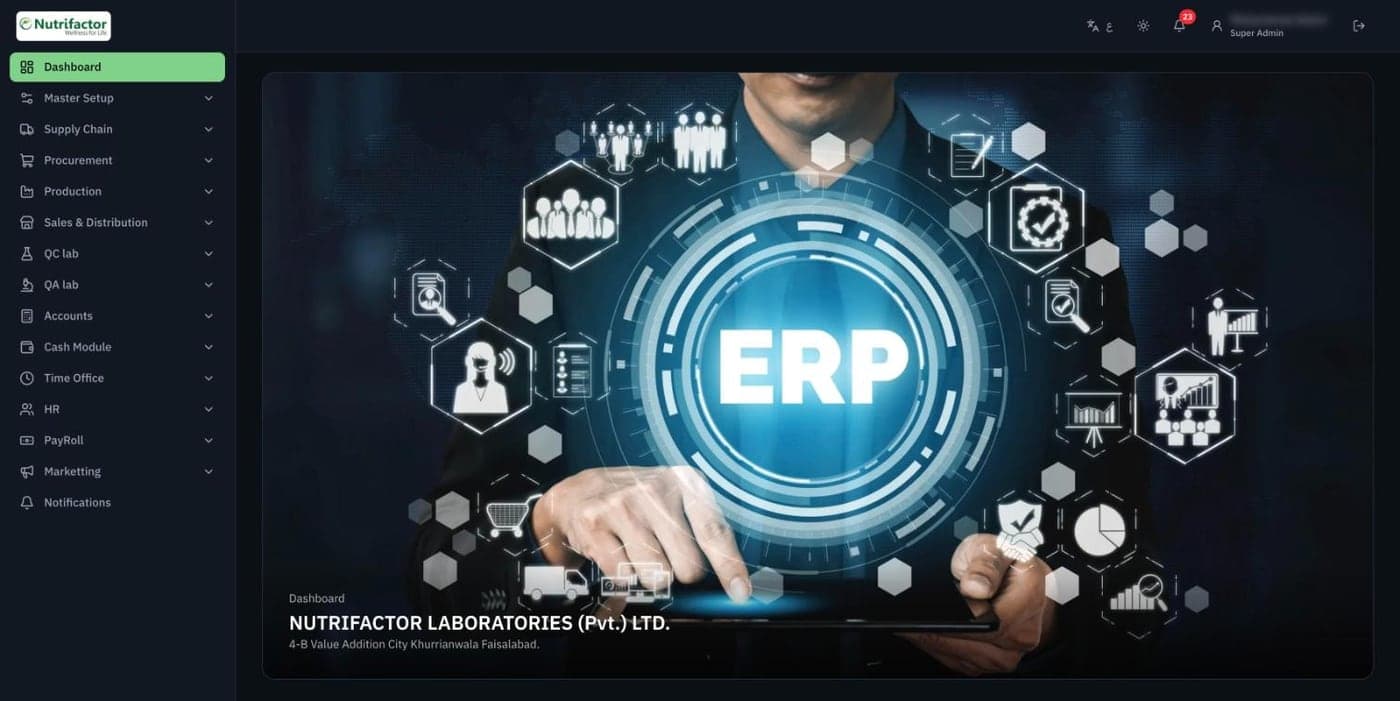
Buying, making, testing, selling and accounting, all in one place.
Nutrifactor Laboratories makes vitamins and supplements in Faisalabad. We built the ERP that runs the business behind the products: departments raise demands, procurement compares quotations and issues purchase orders, the store receives goods, production runs batches, the labs test them, and every transaction lands in the accounts.
- 12Modules, from supply chain and production to accounts, HR and payroll
- 140+Screens and reports across the business
- 50+Roles, each with its own create, read, update and delete rights
- 2Languages, English and Arabic, in light and dark themes
What Nutrifactor needed
A manufacturer of health products has to track every gram of material, every batch and every rupee, and prove it to auditors and regulators. Nutrifactor needed one system for all of it, shared by every department.
- Turn department demands into approved purchases, with competing quotations side by side.
- Follow materials from the gate and the store into production batches and finished goods.
- Keep QC and QA lab checks on every incoming material and outgoing batch.
- Post every purchase, sale and payment into a proper chart of accounts.
- Give each person exactly the screens and actions their job needs, and nothing more.
Our solution
One flow, end to end
Demand sheet, requisition, quotation, purchase order, gate pass, GRN, batch and invoice: each step picks up where the last one ended, so nothing is typed twice.
Approvals built in
Quotations, purchase orders and other documents move through Pending, Approved, Hold or Rejected, with the approve and reject buttons only shown to the people allowed to use them.
Fine-grained permissions
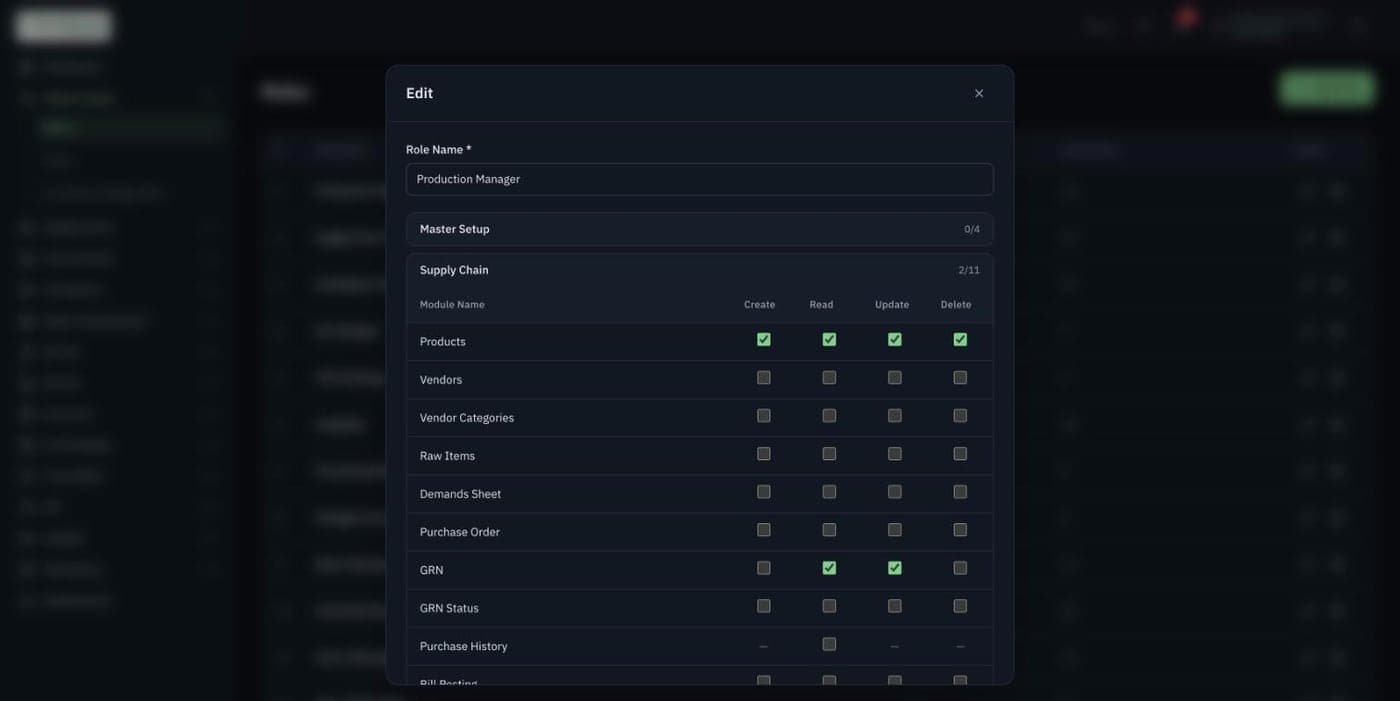
Every module and screen has its own create, read, update and delete switches, grouped by department, so a role can be shaped to the exact job.
Print-ready documents
Quotations, purchase orders, GRNs, demand sheets and vouchers print on the company's letterhead, ready to sign and file.
What we built
Every department in one system
The menu follows how the company works: Master Setup, Supply Chain, Procurement, Production, Sales & Distribution, QC and QA labs, Accounts, Cash, Time Office, HR, Payroll and Marketing. Each user only sees the parts their role allows.
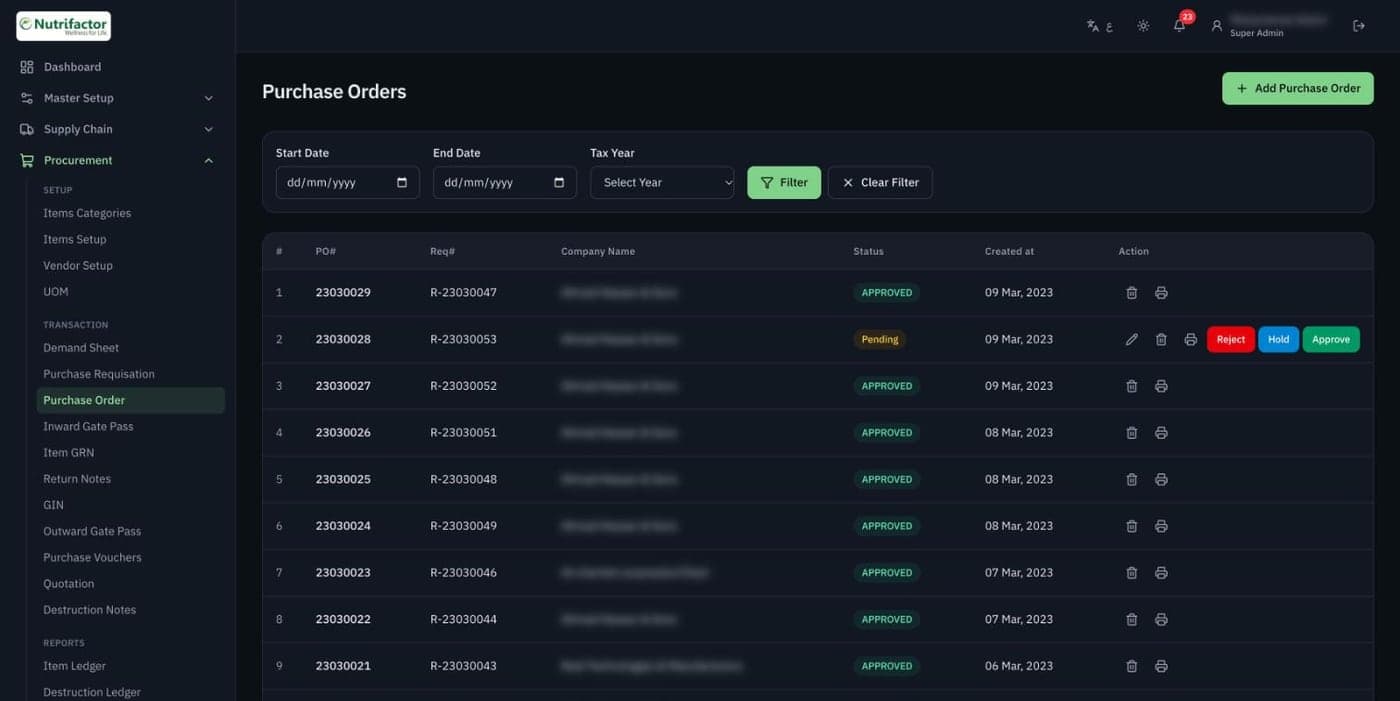
Purchase orders with approvals
Purchase orders are raised from approved requisitions and carry the requisition number with them. Managers approve, hold or reject each one in the list, and every order prints on the company's letterhead.
- Filter by date range and tax year
- Status on every order
- Print, edit or delete from the same row
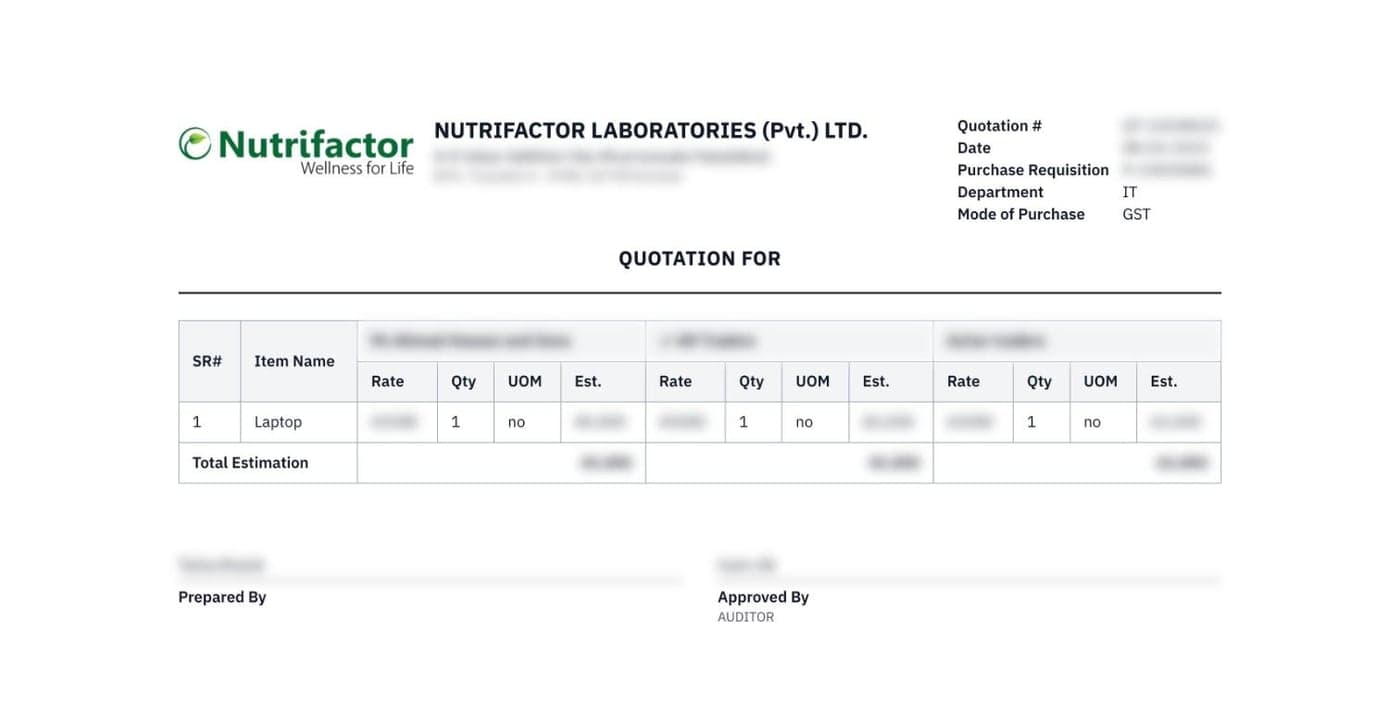
Quotations compared side by side
Procurement collects quotations from several vendors for the same request. The ERP lays them out next to each other with rate, quantity and estimate per item, so the approver can pick the best offer and sign it off.
- Quotations tracked by department and location
- Up to several vendors on one comparison sheet
- Prepared by and approved by on the printout
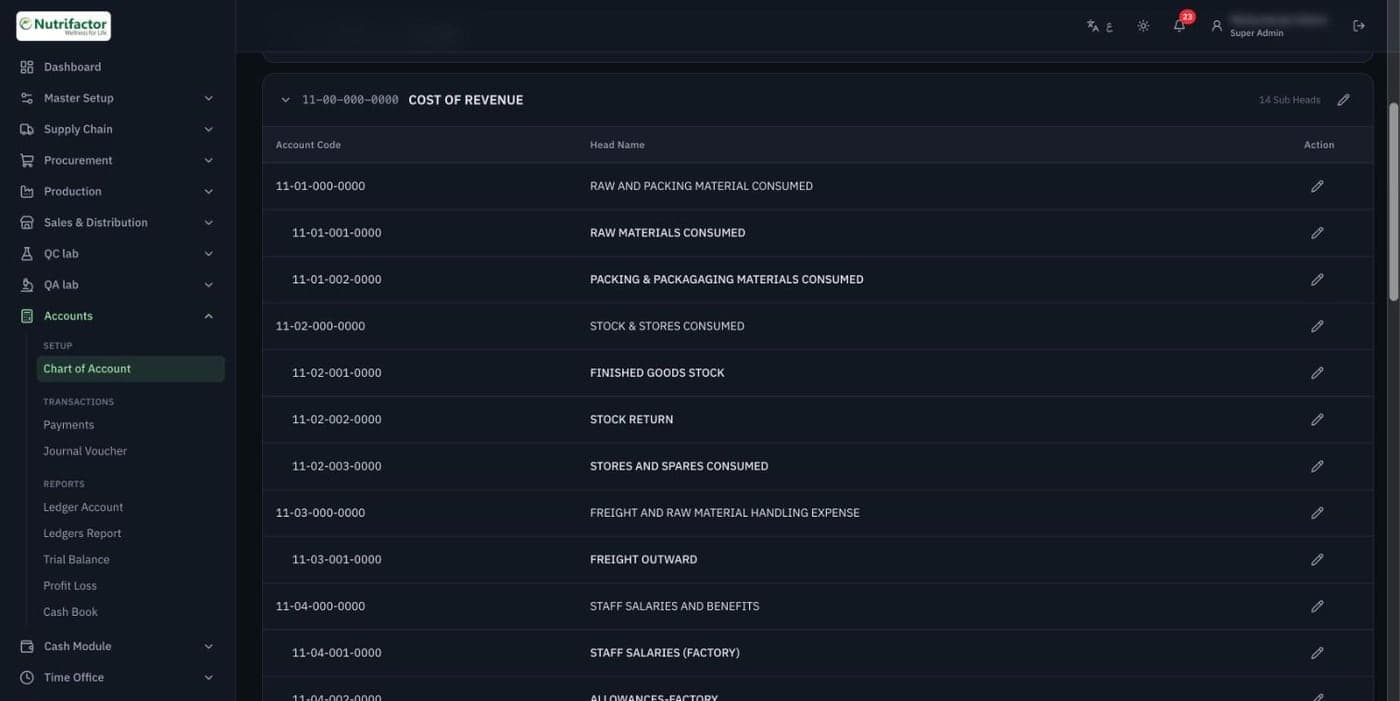
A full chart of accounts
Accounts are organised in a four-level chart of accounts, from main heads like Cost of Revenue down to individual ledgers. Payments, journal vouchers, trial balance, profit and loss and the cash book all build on it.
- Four-level account codes
- Ledger, trial balance and profit and loss reports
- Separate cash module and cash book
Roles shaped to the job
Each role is a grid of switches: for every screen in every module, tick create, read, update or delete. A production manager can manage products and read GRNs without touching vendors or accounts.
More screens
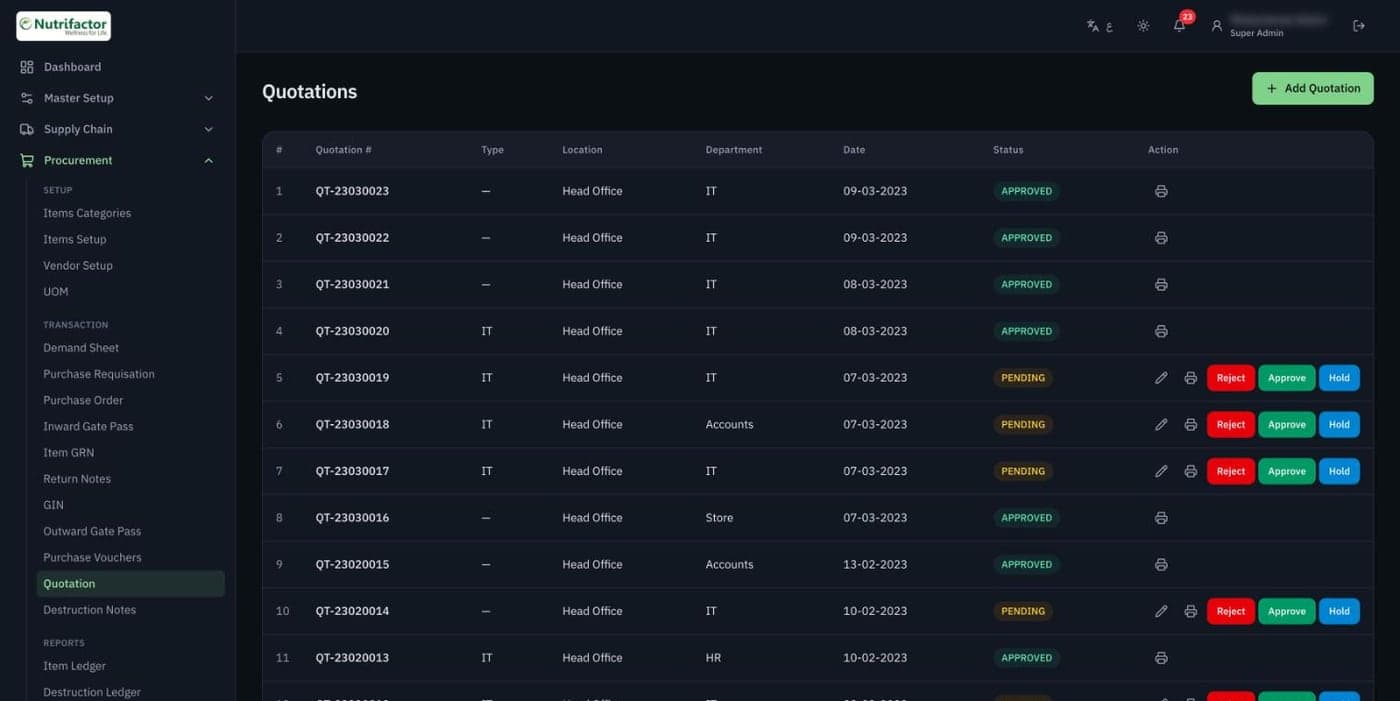
Quotations by department, waiting for approval
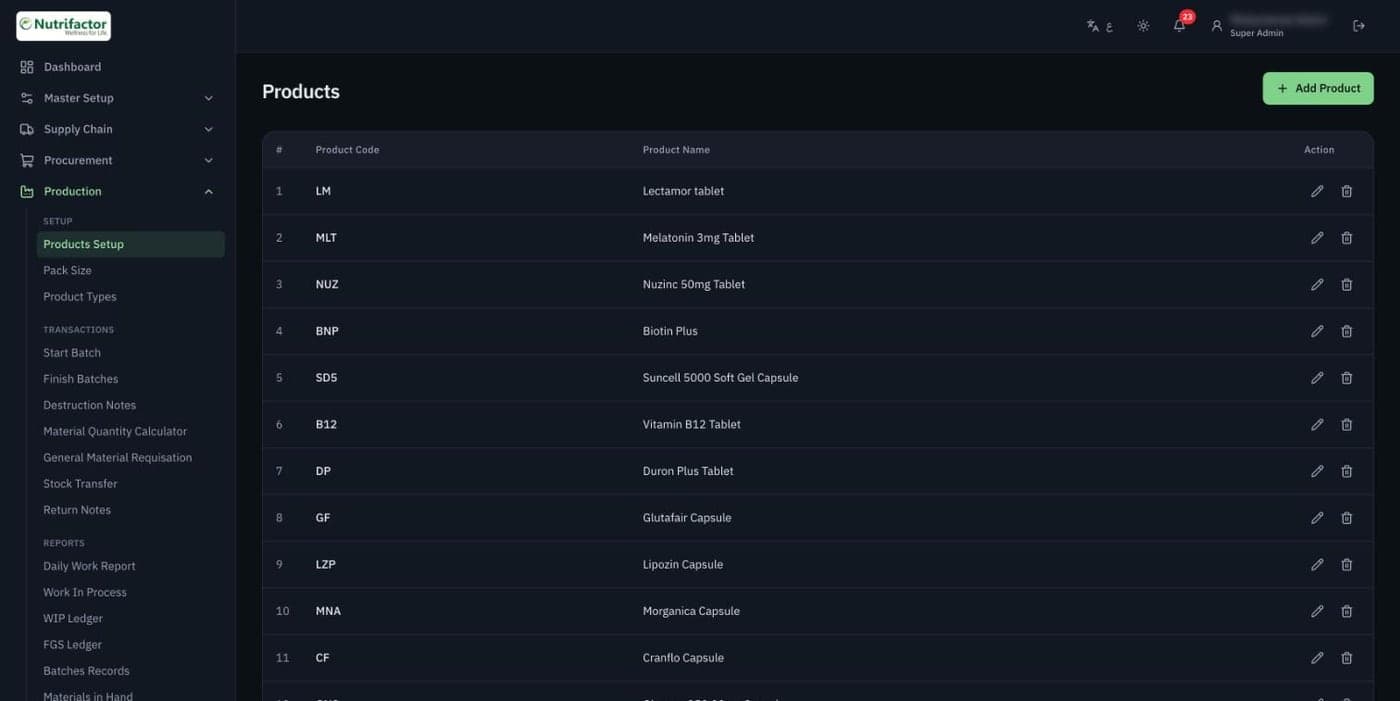
Product setup for production
Built with
- Next.js
- React
- TypeScript
- Prisma
- MySQL
- Tailwind CSS
Vendor names, prices, staff names and other business details in these screens are blurred.